How do I set up email on my iPhone?


To set up your RabHost mailbox on an Apple iPhone or iPad, you need to:

  • Head to the Settings icon and locate the Accounts & Passwords option.
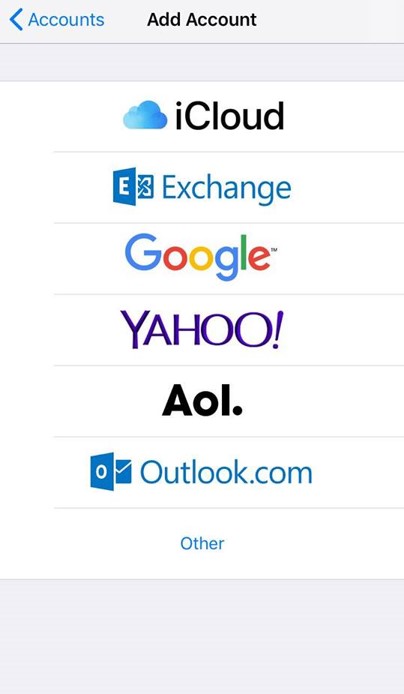
  • Then select 'Add Account'.
  • Select Other from this list.

iOS email menu

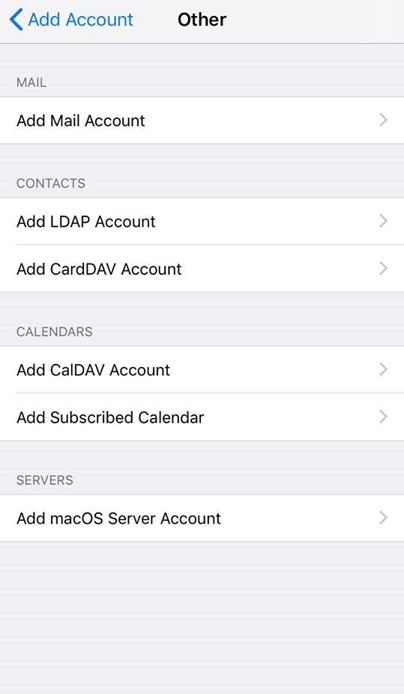
  • Select Add Mail Account.

iOS Add mail account

  • Input the information requested:

Name: Anything
Email: example@yourdomain.com
Password: Mailbox Password
Description: Work, Business…etc
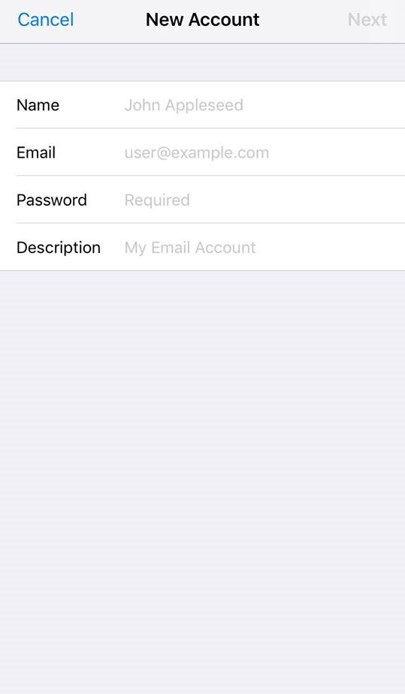
iOS New email account

IMAP:

Incoming Mail Server
Host Name: imap.stackmail.com
Username: example@yourdomain.com
Password: Mailbox Password

Outgoing Mail Server
Host Name: smtp.stackmail.com
Username: example@yourdomain.com
Password: Mailbox Password
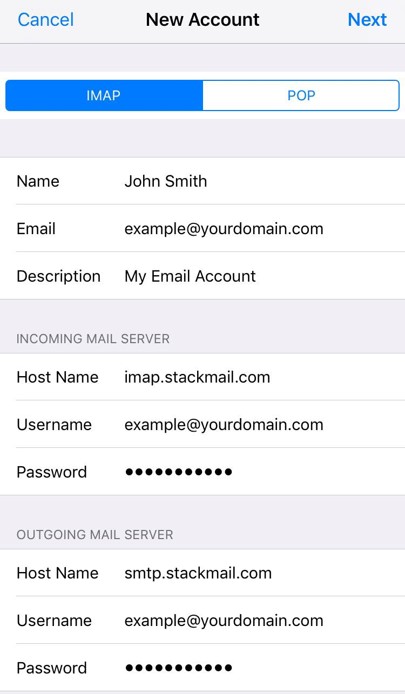
iOS email settings IMAP and POP

  • Finally, select the mail account and go into the Outgoing Mail Server settings. Select Primary Server, make sure SSL is switched on and the port is set to 587.

If you're looking to set up mail with Outlook, please see our guide here

  • 0 Els usuaris han Trobat Això Útil
Ha estat útil la resposta?

Articles Relacionats

How do I setup Email in Outlook?

We make use of 'autodiscover' technology, so that in the majority of cases, Microsoft Outlook can...

How do I set up email on my Android device?

  Here's how to set up a RabHost email on an Android phone or tablet: Open the mail...

What details should I use for a WordPress SMTP plugin?

  The best SMTP details to use when configuring an SMTP plugin within WordPress when you're...

Why is my website not able to send email?

A common reason for this relates to the address not matching your site domain. To help improve...

Do you support email piping?

We do not support email piping - as our mail and web server platforms are located in physically...